【Android】开源项目汇总-备用
Android开源项目第一篇——个性化控件(View)篇 * 包括ListView、ActionBar、Menu、ViewPager、Gallery、GridView、ImageView、ProgressBar、TextView、其他* Android开源项目第二篇——工具库篇 * 包括依赖注入、图片缓存、网络相关、数据库ORM工具包、Android公共库、高版本向低版本兼容库、多媒体、事件总线、传感器、安全、其他* Android开源项目第三篇——优秀项目篇 * 比较有意思的完整的Android项目* Android开源项目第四篇——开发及测试工具篇 * 包括开发效率工具、开发自测相关、测试工具、开发及编译环境、其他* 第一部分 个性化控件(View) 主要介绍那些不错个性化的View,包括ListView、ActionBar、Menu、ViewPager、Gallery、GridView、ImageView、ProgressBar及其他如Dialog、Toast、EditText、TableView、Activity Animation等等。 一、ListView android-pulltorefresh 一个强大的拉动刷新开源项目,支持各种控件下拉刷新,ListView、ViewPager、WevView、ExpandableListView、GridView、ScrollView、Horizontal ScrollView、Fragment上下左右拉动刷新,比下面johannilsson那个只支持ListView的强大的多。并且他实现的下拉刷新ListView在item不足一屏情况下也不会显示刷新提示,体验更好。 项目地址:https://github.com/chrisbanes/Android-PullToRefresh Demo地址:https://github.com/Trinea/TrineaDownload/blob/master/pull-to-refreshview-demo.apk?raw=true APP示例:新浪微博各个页面 android-pulltorefresh-listview 下拉刷新ListView 项目地址:https://github.com/johannilsson/android-pulltorefresh Demo地址:https://github.com/Trinea/TrineaDownload/blob/master/pull-to-refresh-listview-demo.apk?raw=true PS:这个被很多人使用的项目实际有不少bug,推荐使用上面的android-pulltorefresh DropDownListView 下拉刷新及滑动到底部加载更多ListView 项目地址:https://github.com/Trinea/AndroidCommon Demo地址:https://play.google.com/store/apps/details?id=cn.trinea.android.demo 文档介绍:http://www.trinea.cn/android/dropdown-to-refresh-and-bottom-load-more-listview/ DragSortListView 拖动排序的ListView,同时支持ListView滑动item删除,各个Item高度不一、单选、复选、CursorAdapter做为适配器、拖动背景变化等 项目地址:https://github.com/bauerca/drag-sort-listview Demo地址:https://play.google.com/store/apps/details?id=com.mobeta.android.demodslv APP示例:Wordpress Android SwipeListView 支持定义ListView左右滑动事件,支持左右滑动位移,支持定义动画时间 项目地址:https://github.com/47deg/android-swipelistview Demo地址:https://play.google.com/store/apps/details?id=com.fortysevendeg.android.swipelistview APP示例:微信 Android-SwipeToDismiss 滑动Item消失ListView 项目地址:https://github.com/romannurik/Android-SwipeToDismiss 支持3.0以下版本见:https://github.com/JakeWharton/SwipeToDismissNOA Demo地址:https://github.com/JakeWharton/SwipeToDismissNOA/SwipeToDismissNOA.apk/qr_code StickyListHeaders GroupName滑动到顶端时会固定不动直到另外一个GroupName到达顶端的ExpandListView,支持快速滑动,支持Android2.3及以上 项目地址:https://github.com/emilsjolander/StickyListHeaders APP示例:Android 4.0联系人 效果图: pinned-section-listview GroupName滑动到顶端时会固定不动直到另外一个GroupName到达顶端的ExpandListView 项目地址:https://github.com/beworker/pinned-section-listview 效果图: PinnedHeaderListView GroupName滑动到顶端时会固定不动直到另外一个GroupName到达顶端的ExpandListView 项目地址:https://github.com/JimiSmith/PinnedHeaderListView 2. QuickReturnHeader ListView/ScrollView的header或footer,当向下滚动时消失,向上滚动时出现 项目地址:https://github.com/ManuelPeinado/QuickReturnHeader Demo地址:https://github.com/Trinea/TrineaDownload/blob/master/quick-return-header-demo.apk?raw=true APP示例:google plus 3. IndexableListView ListView右侧会显示item首字母快捷索引,点击可快速滑动到某个item 项目地址:https://github.com/woozzu/IndexableListView Demo地址:https://github.com/Trinea/TrineaDownload/blob/master/indexable-listview.apk?raw=true APP示例:微信通讯录、小米联系人 4. CustomFastScrollView ListView快速滑动,同时屏幕中间PopupWindows显示滑动到的item内容或首字母 项目地址:https://github.com/nolanlawson/CustomFastScrollViewDemo 效果图: 5. Android-ScrollBarPanel ListView滑动时固定的Panel指示显示在scrollbar旁边 项目地址:https://github.com/rno/Android-ScrollBarPanel 效果展示:https://github.com/rno/Android-ScrollBarPanel/raw/master/demo_capture.png 6. SlideExpandableListView 用户点击listView item滑出固定区域,其他item的区域收缩 项目地址:https://github.com/tjerkw/Android-SlideExpandableListView Demo地址:https://github.com/Trinea/TrineaDownload/blob/master/slide-expandable-listView-demo.apk?raw=true 7. JazzyListView ListView及GridView item以特殊动画效果进入屏幕,效果包括grow、cards、curl、wave、flip、fly等等 项目地址:https://github.com/twotoasters/JazzyListView Demo地址:https://play.google.com/store/apps/details?id=com.twotoasters.jazzylistview.sample 效果展示:http://lab.hakim.se/scroll-effects/ 8. ListViewAnimations 带Item显示动画的ListView,动画包括底部飞入、其他方向斜飞入、下层飞入、渐变消失、滑动删除等 项目地址:https://github.com/nhaarman/ListViewAnimations Demo地址:https://play.google.com/store/apps/details?id=com.haarman.listviewanimations APP示例:Google plus、Google Now卡片式进入、小米系统中应用商店、联系人、游戏中心、音乐、文件管理器的ListView、Ultimate、Light Flow Lite、TreinVerkeer、Running Coach、Pearl Jam Lyrics、Calorie Chart、Car Hire、Super BART、DK FlashCards、Counter Plus、Voorlees Verhaaltjes 2.0 9. DevsmartLib-Android 横向ListView 项目地址:https://github.com/dinocore1/DevsmartLib-Android Demo地址:https://github.com/Trinea/TrineaDownload/blob/master/horizontal-listview-demo.apk?raw=true 10. HorizontalVariableListView 支持Item宽度不一致的ListView 项目地址:https://github.com/sephiroth74/HorizontalVariableListView 11. LinearListView 用LinearLayout实现的ListView,可解决多个ListView并且等问题。目前自己也有需要,等亲自尝试过后会再具体介绍 项目地址:https://github.com/frankiesardo/LinearListView 12. MultiChoiceAdapter 支持多选的ListView Adapter 项目地址:https://github.com/ManuelPeinado/MultiChoiceAdapter Demo地址:https://play.google.com/store/apps/details?id=com.manuelpeinado.multichoiceadapter.demo 13. EnhancedListView 支持横向滑动滑动删除列表项以及撤销删除的ListView,该项目的前身是SwipeToDismissUndoList 项目地址:https://github.com/timroes/EnhancedListView Demo地址:https://play.google.com/store/apps/details?id=de.timroes.android.listviewdemo&rdid=de.timroes.android.listviewdemo 14. ListBuddies 自动滚动的双列ListView ,两个ListView滚动速度不一致,有视差效果 项目地址:https://github.com/jpardogo/ListBuddies Demo地址:https://play.google.com/store/apps/details?id=com.jpardogo.android.listbuddies 效果展示: <a name="user-content-%E4%BA%8Cactionbar"></a>二、ActionBar 1. ActionBarSherlock 为Android所有版本提供统一的ActionBar,解决4.0以下ActionBar的适配问题 项目地址:<a>https://github.com/JakeWharton/ActionBarSherlock</a> Demo地址:<a>https://play.google.com/store/apps/details?id=com.actionbarsherlock.sample.demos</a> APP示例:太多了。。现在连google都在用 2. ActionBar-PullToRefresh 下拉刷新,ActionBar出现加载中提示 项目地址:<a>https://github.com/chrisbanes/ActionBar-PullToRefresh</a> Demo地址:<a>https://play.google.com/store/apps/details?id=uk.co.senab.actionbarpulltorefresh.samples.stock</a> APP示例:Gmail,Google plus,知乎等 3. FadingActionBar ListView向下滚动逐渐显现的ActionBar 项目地址:<a>https://github.com/ManuelPeinado/FadingActionBar</a> Demo地址:<a>https://play.google.com/store/apps/details?id=com.manuelpeinado.fadingactionbar.demo</a> APP示例:google music,知乎 4. NotBoringActionBar google music下拉收缩的ActionBar 项目地址:<a>https://github.com/flavienlaurent/NotBoringActionBar</a> Demo地址:<a>http://flavienlaurent.com/blog/2013/11/20/making-your-action-bar-not-boring/</a> APP示例:Google音乐 5. RefreshActionItem 带进度显示和刷新按钮的ActionBar 项目地址:<a>https://github.com/ManuelPeinado/RefreshActionItem</a> Demo地址:<a>https://play.google.com/store/apps/details?id=com.manuelpeinado.refreshactionitem.demo</a> APP示例:The New York Times,DevAppsDirect. 6. GlassActionBar 类似玻璃的有一定透明度的ActionBar 项目地址:<a>https://github.com/ManuelPeinado/GlassActionBar</a> Demo地址:<a>https://play.google.com/store/apps/details?id=com.manuelpeinado.glassactionbardemo</a> APP示例:google music <a title="返回目录"></a> <a name="user-content-%E4%B8%89menu"></a>三、Menu 1. MenuDrawer 滑出式菜单,通过拖动屏幕边缘滑出菜单,支持屏幕上下左右划出,支持当前View处于上下层,支持Windows边缘、ListView边缘、ViewPager变化划出菜单等。 项目地址:<a>https://github.com/SimonVT/android-menudrawer</a> Demo地址:<a>http://simonvt.github.io/android-menudrawer/</a> APP示例:Gmail、Google Music等大部分google app 2. SlidingMenu 滑出式菜单,通过拖动屏幕边缘滑出菜单,支持屏幕左右划出,支持菜单zoom、scale、slide up三种动画样式出现。 项目地址:<a>https://github.com/jfeinstein10/SlidingMenu</a> Demo地址:<a>https://play.google.com/store/apps/details?id=com.slidingmenu.example</a> APP示例:Foursquare, LinkedIn, Zappos, Rdio, Evernote Food, Plume, VLC for Android, ESPN ScoreCenter, MLS MatchDay, 9GAG, Wunderlist 2, The Verge, MTG Familiar, Mantano Reader, Falcon Pro (BETA), MW3 Barracks MenuDrawer和SlidingMenu比较:SlidingMenu支持菜单动画样式出现,MenuDrawer支持菜单view处于内容的上下层 3. ArcMenu 支持类似Path的左下角动画旋转菜单及横向划出菜单、圆心弹出菜单 项目地址:<a>https://github.com/daCapricorn/ArcMenu</a> APP示例:Path 效果图:<a target="_blank"></a> <a>https://dl.dropboxusercontent.com/u/11369687/preview1.png</a> <a>https://dl.dropboxusercontent.com/u/11369687/raymenu.png</a> 4. android-satellite-menu 类似Path的左下角动画旋转菜单 项目地址:<a>https://github.com/siyamed/android-satellite-menu</a> Demo地址:<a>https://github.com/Trinea/TrineaDownload/blob/master/satellite-menu-demo.apk?raw=true</a> APP示例:Path 5. radial-menu-widget 圆形菜单,支持二级菜单 项目地址:<a>https://code.google.com/p/radial-menu-widget/</a> 效果图:<a>http://farm8.staticflickr.com/7377/11621125154_d1773c2dcc_o.jpg</a> 6. Android Wheel Menu 圆形旋转选取菜单 项目地址:<a>https://github.com/anupcowkur/Android-Wheel-Menu</a> 效果图:<a target="_blank"></a> 7. FoldingNavigationDrawer 滑动并以折叠方式打开菜单 项目地址:<a>https://github.com/tibi1712/FoldingNavigationDrawer-Android</a> 使用介绍:<a>https://play.google.com/store/apps/details?id=com.ptr.folding.sample</a> 效果图:<a target="_blank"></a> 8. AndroidResideMenu 仿 Dribbble 的边栏菜单 项目地址:<a>https://github.com/SpecialCyCi/AndroidResideMenu</a> 效果图:<a target="_blank"></a> <a title="返回目录"></a> <a name="user-content-%E5%9B%9Bviewpager-gallery"></a>四、ViewPager 、Gallery 1. Android-ViewPagerIndicator 配合ViewPager使用的Indicator,支持各种位置和样式 项目地址:<a>https://github.com/JakeWharton/Android-ViewPagerIndicator</a> Demo地址:<a>https://play.google.com/store/apps/details?id=com.viewpagerindicator.sample</a> APP示例:太多了。。 2. JazzyViewPager 支持Fragment切换动画的ViewPager,动画包括转盘、淡入淡出、翻页、层叠、旋转、方块、翻转、放大缩小等 项目地址:<a>https://github.com/jfeinstein10/JazzyViewPager</a> Demo地址:<a>https://github.com/jfeinstein10/JazzyViewPager/blob/master/JazzyViewPager.apk?raw=true</a> 效果类似桌面左右切换的各种效果,不过桌面并非用ViewPager实现而已 3. Android-DirectionalViewPager 支持横向和纵向(垂直)的ViewPager 项目地址:<a>https://github.com/JakeWharton/Android-DirectionalViewPager</a> Demo地址:<a>https://market.android.com/details?id=com.directionalviewpager.sample</a> 4. android-pulltorefresh 支持下拉刷新的ViewPager 项目地址:<a>https://github.com/chrisbanes/Android-PullToRefresh</a> Demo地址:<a>https://github.com/Trinea/TrineaDownload/blob/master/pull-to-refreshview-demo.apk?raw=true</a> APP示例:新浪微博各个页面 5. FancyCoverFlow 支持Item切换动画效果的类似Gallery View 项目地址:<a>https://github.com/davidschreiber/FancyCoverFlow</a> Demo地址:<a>https://play.google.com/store/apps/details?id=at.technikum.mti.fancycoverflow.samples</a> 效果图:<a target="_blank"></a> 6. AndroidTouchGallery 支持双击或双指缩放的Gallery(用ViewPager实现),相比下面的PhotoView,在被放大后依然能滑到下一个item,并且支持直接从url和文件中获取图片, 项目地址:<a>https://github.com/Dreddik/AndroidTouchGallery</a> Demo地址:<a>https://github.com/Trinea/TrineaDownload/blob/master/touch-gallery-demo.apk?raw=true</a> APP示例:类似微信中查看聊天记录图片时可双击放大,并且放大情况下能正常左右滑动到前后图片 7. Android Auto Scroll ViewPager Android自动滚动 轮播循环的ViewPager 项目地址:<a>https://github.com/Trinea/android-auto-scroll-view-pager</a> Demo地址:<a>https://play.google.com/store/apps/details?id=cn.trinea.android.demo</a> 文档介绍:<a>http://www.trinea.cn/android/auto-scroll-view-pager/</a> 8. Salvage view 带View缓存的Viewpager PagerAdapter,很方便使用 项目地址:<a>https://github.com/JakeWharton/salvage</a> 9. Android PagerSlidingTabStrip 配合ViewPager使用的Indicator,支持ViewPager Scroll时Indicator联动 项目地址:<a>https://github.com/astuetz/PagerSlidingTabStrip</a> Demo地址:<a>https://play.google.com/store/apps/details?id=com.astuetz.viewpager.extensions.sample</a> 10. ViewPager3D ViewPager3D效果 项目地址:<a>https://github.com/inovex/ViewPager3D</a> <a title="返回目录"></a> <a name="user-content-%E4%BA%94gridview"></a>五、GridView 1. StaggeredGridView 允许非对齐行的GridView,类似Pinterest的瀑布流,并且跟ListView一样自带View缓存,继承自ViewGroup 项目地址:<a>https://github.com/maurycyw/StaggeredGridView</a> Demo地址:<a>https://github.com/Trinea/TrineaDownload/blob/master/staggered-gridview-demo.apk?raw=true</a> APP示例:Pinterest等 2. AndroidStaggeredGrid 允许非对齐行的GridView,类似Pinterest的瀑布流,继承自AbsListView 项目地址:<a>https://github.com/etsy/AndroidStaggeredGrid</a> APP示例:Pinterest等 3. PinterestLikeAdapterView 允许非对齐行的GridView,类似Pinterest的瀑布流,允许下拉刷新 项目地址:<a>https://github.com/GDG-Korea/PinterestLikeAdapterView</a> APP示例:Pinterest等 4. DraggableGridView Item可拖动交换位置的GridView,实际是自己继承ViewGroup实现,类似桌面的单屏效果,可屏幕自动上下滚动进行Item移动交换,多屏效果见下面PagedDragDropGrid 项目地址:<a>https://github.com/thquinn/DraggableGridView</a> Demo地址:<a>https://github.com/thquinn/DraggableGridView/blob/master/bin/DraggableGridViewSample.apk?raw=true</a> 5. StickyGridHeaders GroupName滑动到顶端时会固定不动直到另外一个GroupName到达顶端的GridView 项目地址:<a>https://github.com/TonicArtos/StickyGridHeaders</a> 效果图:<a target="_blank"></a> 6. PagedDragDropGrid Item可拖动交换位置、拖动删除的自定义控件,实际是自己继承ViewGroup实现,类似桌面的多屏效果,可拖动到屏幕边缘,屏幕自动左右滚动进行Item移动交换,可拖动进行删除,单屏效果见上面DraggableGridView 项目地址:<a>https://github.com/mrKlar/PagedDragDropGrid</a> Demo视频:<a>http://youtu.be/FYTSRfthSuQ</a> 7. Android-DraggableGridViewPager Item可拖动交换位置的GridView,实际是自己继承ViewGroup实现,类似桌面的多屏效果,可屏幕自动左右滚动进行Item移动交换,单屏效果见上面DraggableGridView 项目地址:<a>https://github.com/zzhouj/Android-DraggableGridViewPager</a> Demo地址:<a>https://github.com/Trinea/trinea-download/blob/master/draggable-grid-viewpager-demo.apk?raw=true</a> <a title="返回目录"></a> <a name="user-content-%E5%85%ADimageview"></a>六、ImageView 1. PhotoView 支持双击或双指缩放的ImageView,在ViewPager等Scrolling view中正常使用,相比上面的AndroidTouchGallery,不仅支持ViewPager,同时支持单个ImageView 项目地址:<a>https://github.com/chrisbanes/PhotoView</a> Demo地址:<a>https://play.google.com/store/apps/details?id=uk.co.senab.photoview.sample</a> APP示例:photup 2. android-gif-drawable 支持gif显示的view,用jni实现的,编译生成so库后直接xml定义view即可,而且本身不依赖于其他开源项目所以相对下面的ImageViewEx简单的多 项目地址:<a>https://github.com/koral–/android-gif-drawable</a> 3. ImageViewEx 支持Gif显示的ImageView 项目地址:<a>https://github.com/frapontillo/ImageViewEx</a> Demo地址:<a>https://github.com/Trinea/TrineaDownload/blob/master/imageviewex-demo.apk?raw=true</a> 依赖很多,编译过程很繁琐!|_|! 4. RoundedImageView 带圆角的ImageView 项目地址:<a>https://github.com/vinc3m1/RoundedImageView</a> 效果图:<a target="_blank"></a> 5. ColorArt 根据图片的均色设置背景色显示文字和图片,类似itune11中效果 项目地址:<a>https://github.com/MichaelEvans/ColorArt</a> Demo地址:<a>https://github.com/Trinea/TrineaDownload/blob/master/color-art-demo.apk?raw=true</a> 6. CircleImageView 圆形的ImageView 项目地址:<a>https://github.com/hdodenhof/CircleImageView</a> 效果图:<a target="_blank"></a> 7. ImageViewZoom 支持放大和平移的ImageView 项目地址:<a>https://github.com/sephiroth74/ImageViewZoom</a> APP示例:<a>https://play.google.com/store/apps/details?id=com.aviary.android.feather</a> 8. KenBurnsView 实现Ken Burns effect效果,达到身临其境效果的ImageView 项目地址:<a>https://github.com/flavioarfaria/KenBurnsView</a> 9. CustomShapeImageView 各种形状的ImageView, 相比上面的圆形ImageView,多了更多形状 项目地址:<a>https://github.com/MostafaGazar/CustomShapeImageView</a> 效果图:<a target="_blank"></a> <a title="返回目录"></a> <a name="user-content-%E4%B8%83progressbar"></a>七、ProgressBar 1. SmoothProgressBar 水平进度条 项目地址:<a>https://github.com/castorflex/SmoothProgressBar</a> Demo地址:<a>https://play.google.com/store/apps/details?id=fr.castorflex.android.smoothprogressbar.sample</a> 2. ProgressWheel 支持进度显示的圆形ProgressBar 项目地址:<a>https://github.com/Todd-Davies/ProgressWheel</a> Demo地址:<a>https://github.com/Trinea/TrineaDownload/blob/master/progress-wheel-demo.apk?raw=true</a> 3. android-square-progressbar 在图片周围显示进度 项目地址:<a>https://github.com/mrwonderman/android-square-progressbar</a> Demo地址:<a>https://play.google.com/store/apps/details?id=net.yscs.android.square_progressbar_example</a> APP示例:square 效果图:<a target="_blank"></a> 4. HoloCircularProgressBar Android4.1 时钟App样式 项目地址:<a>https://github.com/passsy/android-HoloCircularProgressBar</a> APP示例:Android4.1时钟App 效果图:<a target="_blank"></a> 5. ProgressButton 通过图钉的不同状态显示进度 项目地址:<a>https://github.com/f2prateek/progressbutton</a> 文档介绍:<a>http://f2prateek.com/progressbutton/</a> 效果图:<a target="_blank"></a> 6. GoogleProgressBar 类似google 多个圆形卡片翻转的progressBar 项目地址:<a>https://github.com/jpardogo/GoogleProgressBar</a> 效果图:<a target="_blank"></a> 7. TH-ProgressButton 带圆形进度显示的按钮 项目地址;<a>https://github.com/torryharris/TH-ProgressButton</a> 效果图:<a target="_blank"></a><a target="_blank"></a><a target="_blank">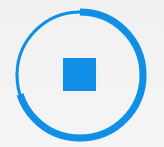</a><a target="_blank"></a> <a title="返回目录"></a> <a name="user-content-%E5%85%ABtextview"></a>八、TextView包括TextView及所有继承自TextView控件,如EditText、Button、RadioButton 1. android-flowtextview 文字自动环绕其他View的Layout 项目地址:<a>https://code.google.com/p/android-flowtextview/</a> 效果图:<a>http://i949.photobucket.com/albums/ad332/vostroman1500/1.png</a> 2. Android Form EditText 验证输入合法性的编辑框,支持输入、英文、ip、url等多种正则验证 项目地址:<a>https://github.com/vekexasia/android-edittext-validator</a> Demo地址:<a>https://play.google.com/store/apps/details?id=com.andreabaccega.edittextformexample</a> 3. Emojicon 支持emojis的TextView和EditText 项目地址:<a>https://github.com/rockerhieu/emojicon</a> 文档地址:<a>http://rockerhieu.com/emojicon/</a> 4. android-circlebutton Android圆形按钮,实际实现是继承自ImageView 项目地址:<a>https://github.com/markushi/android-circlebutton</a> Demo地址:<a>https://github.com/markushi/android-circlebutton/blob/master/example/example.apk</a> 5. Segmented Radio Buttons for Android iOS’s segmented controls的实现 项目地址:<a>https://github.com/vinc3m1/android-segmentedradiobutton</a> Demo地址:<a>https://github.com/thquinn/DraggableGridView/blob/master/bin/DraggableGridViewSample.apk?raw=true</a> 效果图:<a target="_blank"></a> 6. Chips EditText Library 支持国家名字联想从而选择显示该国国旗的EditText,实际就是通过SpannableStringBuilder实现 项目地址:<a>https://github.com/kpbird/chips-edittext-library</a> Demo地址:<a>https://github.com/kpbird/chips-edittext-library/tree/master/ChipsEditTextDemo/bin</a> 7. AutoFitTextView 可固定边界内容字体大小自适应的TextView 项目地址:<a>https://github.com/grantland/android-autofittextview</a> 8. Shimmer for Android 文字发淡光的TextView 项目地址:<a>https://github.com/RomainPiel/Shimmer-android</a> 9. Titanic 可以显示水位上升下降(不知道该怎么描述 囧)的TextView 项目地址:<a>https://github.com/RomainPiel/Titanic</a> 效果图:<a target="_blank"></a> 10. android-iconify 提供带Icon的TextView,Menu,Button等 项目地址:<a>https://github.com/JoanZapata/android-iconify</a> 11. Calligraphy 让我们在[Android开发](http://www.eoeandroid.com/)中使用自定义字体变得更加简单 项目地址 :<a>https://github.com/chrisjenx/Calligraphy</a> 效果图:<a target="_blank"></a> 12. CreditsRoll 类似星球大战字幕效果的TextView 项目地址:<a>https://github.com/frakbot/CreditsRoll</a> <a title="返回目录"></a> <a name="user-content-%E4%B9%9D%E5%85%B6%E4%BB%96"></a>九、其他 1. achartengine 强大的图表绘制工具,支持折线图、面积图、散点图、时间图、柱状图、条图、饼图、气泡图、圆环图、范围(高至低)条形图、拨号图/表、立方线图及各种图的结合 项目地址:<a>https://code.google.com/p/achartengine/</a> 官方网站:<a>http://www.achartengine.org/</a> 效果图:<a target="_blank"></a> <a>http://www.achartengine.org/dimages/sales_line_and_area_chart.png</a> <a>http://www.achartengine.org/dimages/temperature_range_chart.png</a> <a>http://www.achartengine.org/dimages/combined_chart.png</a> <a>http://www.achartengine.org/dimages/budget_chart.png</a> APP示例:Wordpress Android,Google Analytics 2. GraphView 绘制图表和曲线图的View,可用于Android上的曲形图、柱状图、波浪图展示 项目地址:<a>https://github.com/jjoe64/GraphView</a> Demo工程:<a>https://github.com/jjoe64/GraphView-Demos</a> Demo地址:<a>https://play.google.com/store/apps/details?id=com.sothree.umano</a> APP示例:Wordpress Android,Google Analytics 3. android-flip 类似Flipboard翻转动画的实现 项目地址:<a>https://github.com/openaphid/android-flip</a> Demo地址:<a>https://github.com/openaphid/android-flip/blob/master/FlipView/Demo/APK/Aphid-FlipView-Demo.apk?raw=true</a> APP示例:flipboard 4. FlipImageView 支持x、y、z及动画选择的翻转动画的实现 项目地址:<a>https://github.com/castorflex/FlipImageView</a> Demo地址:<a>https://play.google.com/store/apps/details?id=fr.castorflex.android.flipimageview</a> 5. SwipeBackLayout 左右或向上滑动返回的Activity 项目地址:<a>https://github.com/Issacw0ng/SwipeBackLayout</a> Demo地址:<a>https://play.google.com/store/apps/details?id=me.imid.swipebacklayout.demo</a> APP示例:知乎 6. Cards-UI 卡片式View,支持单个卡片,item为卡片的ListView 项目地址:<a>https://github.com/afollestad/Cards-UI</a> Demo地址:<a>https://github.com/Trinea/TrineaDownload/blob/master/cards-ui-demo.apk?raw=true</a> 7. cardslib 卡片式View,支持单个卡片,item为卡片的ListView和GridView 项目地址:<a>https://github.com/gabrielemariotti/cardslib</a> Demo地址:<a>https://play.google.com/store/apps/details?id=it.gmariotti.cardslib.demo</a> 8. android-styled-dialogs 可自定义样式的dialog,默认与Holo主题样式一致,在Android2.2以上同一样式 项目地址:<a>https://github.com/inmite/android-styled-dialogs</a> Demo地址:<a>https://github.com/Trinea/TrineaDownload/blob/master/styled-dialogs-demo.apk?raw=true</a> 9. Crouton 丰富样式的Toast,允许alert、comfirm、info样式及点击消失样式,允许设置Toast显示时间,允许自定义View。 本文32. SuperToasts为其扩展版 项目地址:<a>https://github.com/keyboardsurfer/Crouton</a> Demo地址:<a>http://play.google.com/store/apps/details?id=de.keyboardsurfer.app.demo.crouton</a> 10. supertooltips 带动画效果的Tips显示 项目地址:<a>https://github.com/nhaarman/supertooltips</a> Demo地址:<a>https://play.google.com/store/apps/details?id=com.haarman.supertooltips</a> 11. Android ViewBadger 为其他View添加角标等 项目地址:<a>https://github.com/jgilfelt/android-viewbadger</a> Demo地址:<a>https://github.com/Trinea/TrineaDownload/blob/master/android-viewbadger.apk?raw=true</a> 效果图:<a>https://github-camo.global.ssl.fastly.net/a705a3e88c75ae2394943bd7c56f725697616ea8/687474703a2f2f7777772e6a65666667696c66656c742e636f6d2f766965776261646765722f76622d31612e706e67</a> 12. Android Sliding Up Panel 可拖动的View,能在当前Activity上扶起一个可拖动的Panel 项目地址:<a>https://github.com/umano/AndroidSlidingUpPanel</a> Demo地址:<a>https://play.google.com/store/apps/details?id=com.sothree.umano</a> APP示例:Google Music精简播放栏 13. android-times-square Android日历时间部件,支持选取单个日期,多个日期,及日期区间段和对话框形式显示 项目地址:<a>https://github.com/square/android-times-square</a> Demo地址:<a>https://github.com/Trinea/TrineaDownload/blob/master/times-square-demo.apk?raw=true</a> 14. android-calendar-card 日历 项目地址:<a>https://github.com/kenumir/android-calendar-card</a> Demo地址:<a>https://play.google.com/store/apps/details?id=com.wt.calendarcardsample</a> 效果图:<a target="_blank"></a> 15. ColorPickerView 颜色选择器,支持PopupWindows或新的Activity中打开 项目地址:<a>https://code.google.com/p/color-picker-view/</a> 效果图:<a target="_blank"></a> 16. HoloColorPicker 颜色选择器 项目地址:<a>https://github.com/LarsWerkman/HoloColorPicker</a> Demo地址:<a>https://docs.google.com/file/d/0BwclyDTlLrdXRzVnTGJvTlRfU2s/edit</a> 17. AndroidWheel Android Wheel支持城市、多种日期时间、密码、图片 项目地址:<a>https://github.com/sephiroth74/AndroidWheel</a> 效果图:<a target="_blank"></a> 18. TableFixHeaders 第一列固定的Table 项目地址:<a>https://github.com/InQBarna/TableFixHeaders</a> Demo地址:<a>http://bit.ly/13buAIq</a> 19. UITableView ios风格控件,包括Button、ListView、TableView 项目地址:<a>https://github.com/thiagolocatelli/android-uitableview</a> Demo地址:<a>https://github.com/Trinea/TrineaDownload/blob/master/ui-tableview-demo.apk?raw=true</a> 20. ATableView ios风格控件 项目地址:<a>https://github.com/dmacosta/ATableView</a> Demo地址:<a>https://play.google.com/store/apps/details?id=com.nakardo.atableview.demo</a> 21. UndoBar 屏幕底部显示取消或是确认的PopupWindows 项目地址:<a>https://github.com/soarcn/UndoBar</a> 效果图:<a target="_blank">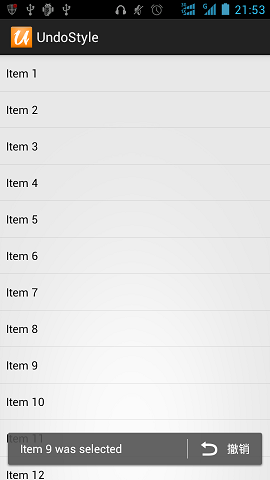</a> 22. Inscription 可用于展示应用change和new feature信息 项目地址:<a>https://github.com/MartinvanZ/Inscription</a> 23. ActivityTransition Activity切换动画,包括渐变、flip、某个位置进入等等 项目地址:<a>https://github.com/ophilbert/ActivityTransition</a> 使用介绍:<a>https://github.com/jfeinstein10/JazzyViewPager/blob/master/JazzyViewPager.apk?raw=true</a> 效果图:类似桌面左右切换的各种效果,不过桌面并非用ViewPager实现而已 24. GlowPadBackport 将Android4.2的锁屏界面解锁扩展到Android1.6及1.6+ 项目地址:<a>https://github.com/rock3r/GlowPadBackport</a> Demo地址:<a>https://play.google.com/store/apps/details?id=net.sebastianopoggi.samples.ui.GlowPadSample</a> 效果图:<a target="_blank"></a> 25. GlowPadView Android4锁屏界面解锁 项目地址:<a>https://github.com/nadavfima/GlowPadView</a> 效果图:<a>https://raw.github.com/nadavfima/GlowPadView/master/example.png</a> 26. android-lockpattern Android的图案密码解锁 项目地址:<a>https://code.google.com/p/android-lockpattern/</a> Demo地址:<a>https://play.google.com/store/apps/details?id=group.pals.android.lib.ui.lockpattern.demo</a> 使用介绍:<a>https://code.google.com/p/android-lockpattern/wiki/QuickUse</a> 示例APP:Android开机的图案密码解锁,支付宝的密码解锁 27. RangeBar 类似于SeekBar,不同的是可以选择一个范围内的值而不是单个值 项目地址:<a>https://github.com/edmodo/range-bar</a> Demo地址:<a>https://github.com/Trinea/TrineaDownload/blob/master/range-bar-demo.apk?raw=true</a> 效果图: <a target="_blank"></a> 28. SuperToasts 更丰富样式的toast,支持Button、Progress、Horizontal Progress样式、支持进入动画、支持撤销及其动画设置 项目地址:<a>https://github.com/JohnPersano/SuperToasts</a> Demo地址:<a>https://play.google.com/store/apps/details?id=com.supertoastsdemo</a> 效果图:<a target="_blank"></a> 29. GoogleDateTimePickers 时间选择部件 项目地址:<a>https://github.com/Mirkoddd/GoogleDateTimePickers</a> 文档地址:<a>https://play.google.com/store/apps/details?id=com.mirko.sample&hl=it</a> 30. UndoBar 屏幕底部显示取消或是确认某操作 项目地址:<a>https://github.com/jenzz/Android-UndoBar</a> 效果图:<a target="_blank"></a> 31. ColorPickerPreference 颜色选择器 项目地址:<a>https://github.com/attenzione/android-ColorPickerPreference</a> 效果图:<a target="_blank"></a> 32. HoloGraphLibrary 绘制现状图、柱状图、饼状图 项目地址:<a>https://bitbucket.org/danielnadeau/holographlibrary/src</a> 文档介绍:<a>https://bitbucket.org/danielnadeau/holographlibrary/wiki/Home</a> 33. ChromeView 利用Chromium实现的WebView,解决各个Android版本WebView不同的问题,同时利用最新Chrome代码 项目地址:<a>https://github.com/pwnall/chromeview</a> 34. Discrollview 支持滚动时Item淡入淡出,平移,缩放效果的ScrollView 项目地址:<a>https://github.com/flavienlaurent/discrollview</a> Demo地址:<a>https://github.com/flavienlaurent/discrollview/raw/master/sample.apk</a> 35. Android Slider Preference Library 可添加到设置中的基于对话框的RankBar小部件 项目地址:<a>https://github.com/jayschwa/AndroidSliderPreference</a> 36. ShowcaseView library 用于高亮显示应用程序的特定部分,从而突出突出重点 项目地址:<a>https://github.com/amlcurran/ShowcaseView</a> 37. android-segmented-control Android上的Segmented Controls,相当于RadioButton组 项目地址:<a>https://github.com/hoang8f/android-segmented-control</a> 38. PullScrollView 仿照新浪微博Android客户端个人中心的ScrollView,下拉背景伸缩回弹效果。 项目地址:<a>https://github.com/MarkMjw/PullScrollView</a> 效果图:<a target="_blank"></a> 39. ParallaxScrollView 支持视差滚动的ScrollView ,背景图片的滚动速度小于ScrollView中子控件的滚动速度 项目地址:<a>https://github.com/chrisjenx/ParallaxScrollView</a> 示例APK地址:<a>https://github.com/chrisjenx/ParallaxScrollView/downloads</a> 40. Android-Bootstrap Bootstrap 风格的按钮 项目地址: <a>https://github.com/Bearded-Hen/Android-Bootstrap</a> 效果图:<a target="_blank"></a> <a title="返回目录"></a> <a name="user-content-%E7%AC%AC%E4%BA%8C%E9%83%A8%E5%88%86-%E5%B7%A5%E5%85%B7%E5%BA%93"></a>第二部分 工具库主要包括那些不错的开发库,包括依赖注入框架、图片缓存、网络相关、数据库ORM建模、Android公共库、Android 高版本向低版本兼容、多媒体相关及其他。<a title="返回目录"></a> <a name="user-content-%E4%B8%80%E4%BE%9D%E8%B5%96%E6%B3%A8%E5%85%A5di"></a>一、依赖注入DI通过依赖注入减少View、服务、资源简化初始化,事件绑定等重复繁琐工作 1. AndroidAnnotations(Code Diet) android快速开发框架 项目地址:<a>https://github.com/excilys/androidannotations</a> 文档介绍:<a>https://github.com/excilys/androidannotations/wiki</a> 官方网站:<a>http://androidannotations.org/</a> 特点:(1) 依赖注入:包括view,extras,系统服务,资源等等 (2) 简单的线程模型,通过annotation表示方法运行在ui线程还是后台线程 (3) 事件绑定:通过annotation表示view的响应事件,不用在写内部类 (4) REST客户端:定义客户端接口,自动生成REST请求的实现 (5) 没有你想象的复杂:AndroidAnnotations只是在在编译时生成相应子类 (6) 不影响应用性能:仅50kb,在编译时完成,不会对运行时有性能影响。 PS:与roboguice的比较:roboguice通过运行时读取annotations进行反射,所以可能影响应用性能,而AndroidAnnotations在编译时生成子类,所以对性能没有影响 2. roboguice 帮你处理了很多代码异常,利用annotation使得更少的代码完成项目 项目地址:<a>https://github.com/roboguice/roboguice</a> 文档介绍:<a>https://github.com/roboguice/roboguice/wiki</a> 3. butterknife 利用annotation帮你快速完成View的初始化,减少代码 项目地址:<a>https://github.com/JakeWharton/butterknife</a> 文档介绍:<a>http://jakewharton.github.io/butterknife/</a> 4. Dagger 依赖注入,适用于Android和Java 项目地址:<a>https://github.com/square/dagger</a> 文档介绍:<a>http://square.github.io/dagger/</a> <a title="返回目录"></a> <a name="user-content-%E4%BA%8C%E5%9B%BE%E7%89%87%E7%BC%93%E5%AD%98"></a>二、图片缓存 1. Android-Universal-Image-Loader 图片缓存,目前使用最广泛的图片缓存,支持主流图片缓存的绝大多数特性。 项目地址:<a>https://github.com/nostra13/Android-Universal-Image-Loader</a> Demo地址:<a>https://github.com/Trinea/TrineaDownload/blob/master/universal-imageloader-demo.apk?raw=true</a> 文档介绍:<a>http://www.intexsoft.com/blog/item/74-universal-image-loader-part-3.html</a> 2. picasso square开源的图片缓存 项目地址:<a>https://github.com/square/picasso</a> 文档介绍:<a>http://square.github.io/picasso/</a> 特点:(1)可以自动检测adapter的重用并取消之前的下载 (2)图片变换 (3)可以加载本地资源 (4)可以设置占位资源 (5)支持debug模式 3. ImageCache 图片缓存,包含内存和Sdcard缓存 项目地址:<a>https://github.com/Trinea/AndroidCommon</a> Demo地址:<a>https://play.google.com/store/apps/details?id=cn.trinea.android.demo</a> 文档介绍:<a>http://www.trinea.cn/android/android-imagecache/</a> 特点:(1)支持预取新图片,支持等待队列 (2)包含二级缓存,可自定义文件名保存规则 (3)可选择多种缓存算法(FIFO、LIFO、LRU、MRU、LFU、MFU等13种)或自定义缓存算法 (4)可方便的保存及初始化恢复数据 (5)支持不同类型网络处理 (6)可根据系统配置初始化缓存等 <a title="返回目录"></a> <a name="user-content-%E4%B8%89%E7%BD%91%E7%BB%9C%E7%9B%B8%E5%85%B3"></a>三、网络相关 1. Asynchronous Http Client for Android Android异步Http请求 项目地址:<a>https://github.com/loopj/android-async-http</a> 文档介绍:<a>http://loopj.com/android-async-http/</a> 特点:(1) 在匿名回调中处理请求结果 (2) 在UI线程外进行http请求 (3) 文件断点上传 (4) 智能重试 (5) 默认gzip压缩 (6) 支持解析成Json格式 (7) 可将Cookies持久化到SharedPreferences 2. android-query 异步加载,更少代码完成Android加载 项目地址:<a>https://github.com/androidquery/androidquery</a> 或 <a>https://code.google.com/p/android-query/</a> 文档介绍:<a>https://code.google.com/p/android-query/#Why_AQuery</a>? Demo地址:<a>https://play.google.com/store/apps/details?id=com.androidquery</a> 特点:<a>https://code.google.com/p/android-query/#Why_AQuery</a>? 3. Async Http Client Java异步Http请求 项目地址:<a>https://github.com/AsyncHttpClient/async-http-client</a> 文档介绍:<a>http://sonatype.github.io/async-http-client/</a> 4. Ion 支持图片、json、http post等异步请求 项目地址:<a>https://github.com/koush/ion</a> 文档介绍:<a>https://github.com/koush/ion#more-examples</a> 5. HttpCache Http缓存 项目地址:<a>https://github.com/Trinea/AndroidCommon</a> Demo地址:<a>https://play.google.com/store/apps/details?id=cn.trinea.android.demo</a> 文档介绍:<a>http://www.trinea.cn/android/android-http-cache</a> 特点是:(1) 根据cache-control、expires缓存http请求 (2) 支持同步、异步Http请求 (3) 在匿名回调中处理请求结果 (4) 在UI线程外进行http请求 (5) 默认gzip压缩 6. Http Request 项目地址:<a>https://github.com/kevinsawicki/http-request</a> 文档介绍:<a>https://github.com/kevinsawicki/http-request#examples</a> 7. okhttp square开源的http工具类 项目地址:<a>https://github.com/square/okhttp</a> 文档介绍:<a>http://square.github.io/okhttp/</a> 特点:(1) 支持SPDY( <a>http://zh.wikipedia.org/wiki/SPDY</a> )协议。SPDY协议是Google开发的基于传输控制协议的应用层协议,通过压缩,多路复用(一个TCP链接传送网页和图片等资源)和优先级来缩短加载时间。 (2) 如果SPDY不可用,利用连接池减少请求延迟 (3) Gzip压缩 (4) Response缓存减少不必要的请求 8. Retrofit RESTFUL API设计 项目地址:<a>https://github.com/square/retrofit</a> 文档介绍:<a>http://square.github.io/retrofit/</a> 9. RoboSpice Android异步网络请求工具,支持缓存、REST等等 项目地址:<a>https://github.com/stephanenicolas/robospice</a> Demo地址:<a>https://github.com/stephanenicolas/RoboDemo/downloads</a> <a title="返回目录"></a> <a name="user-content-%E5%9B%9B%E6%95%B0%E6%8D%AE%E5%BA%93-orm%E5%B7%A5%E5%85%B7%E5%8C%85"></a>四、数据库 orm工具包orm的db工具类,简化建表、查询、更新、插入、事务、索引的操作 1. greenDAO Android Sqlite orm的db工具类 项目地址:<a>https://github.com/greenrobot/greenDAO</a> 文档介绍:<a>http://greendao-orm.com/documentation/</a> 官方网站:<a>http://greendao-orm.com/</a> 特点:(1) 性能佳 (2) 简单易用的API (3) 内存小好小 (4) 库大小小 2. ActiveAndroid Android Sqlite orm的db工具类 项目地址:<a>https://github.com/pardom/ActiveAndroid</a> 文档介绍:<a>https://github.com/pardom/ActiveAndroid/wiki/_pages</a> 3. Sprinkles Android Sqlite orm的db工具类 项目地址:<a>https://github.com/emilsjolander/sprinkles</a> 文档介绍:<a>http://emilsjolander.github.io/blog/2013/12/18/android-with-sprinkles/</a> 特点:比较显著的特点就是配合<a>https://github.com/square/retrofit</a> 能保存从服务器获取的数据 4. ormlite-android 项目地址:<a>https://github.com/j256/ormlite-android</a> 文档介绍:<a>http://ormlite.com/sqlite_java_android_orm.shtml</a> <a title="返回目录"></a> <a name="user-content-%E4%BA%94android%E5%85%AC%E5%85%B1%E5%BA%93"></a>五、Android公共库 1. Guava Google的基于java1.6的类库集合的扩展项目,包括collections, caching, primitives support, concurrency libraries, common annotations, string processing, I/O等等. 这些高质量的API可以使你的JAVa代码更加优雅,更加简洁 项目地址:<a>https://code.google.com/p/guava-libraries/</a> 文档介绍:<a>https://code.google.com/p/guava-libraries/wiki/GuavaExplained</a> 2. Volley Google提供的网络通信库,使得网络请求更简单、更快速 项目地址:<a>https://android.googlesource.com/platform/frameworks/volley</a> Github地址:<a>https://github.com/mcxiaoke/android-volley</a> 文档地址:<a>http://commondatastorage.googleapis.com/io-2013/presentations/110%20-%20Volley-%20Easy,%20Fast%20Networking%20for%20Android.pdf</a> 3. AndroidCommon Android公共库 项目地址:<a>https://github.com/Trinea/AndroidCommon</a> Demo地址:<a>https://play.google.com/store/apps/details?id=cn.trinea.android.demo</a> 文档介绍:<a>http://www.trinea.cn/android/android-common-lib/</a> 包括:(1)缓存(图片缓存、预取缓存、网络缓存) (2) 公共View(下拉及底部加载更多ListView、底部加载更多ScrollView、滑动一页Gallery) (3) Android常用工具类(网络、下载、Android资源操作、shell、文件、Json、随机数、Collection等等) 4. shipfaster 整合了Dagger Otto Retrofit Robolectric Picasso OkHttp,方便快速开发 项目地址:<a>https://github.com/pyricau/shipfaster</a> 5. CleanAndroidCode 整合了Dagger Otto AndroidAnnotations,方便快速开发 项目地址:<a>https://github.com/pyricau/CleanAndroidCode</a> 我目前也在做框架选型方面的工作,不出意外后面也会出个跟4、5类似的项目 <a title="返回目录"></a> <a name="user-content-%E5%85%ADandroid-%E9%AB%98%E7%89%88%E6%9C%AC%E5%90%91%E4%BD%8E%E7%89%88%E6%9C%AC%E5%85%BC%E5%AE%B9"></a>六、Android 高版本向低版本兼容 1. ActionBarSherlock 为Android所有版本提供统一的ActionBar,解决4.0以下ActionBar的适配问题 项目地址:<a>https://github.com/JakeWharton/ActionBarSherlock</a> Demo地址:<a>https://play.google.com/store/apps/details?id=com.actionbarsherlock.sample.demos</a> APP示例:太多了。。现在连google都在用 2. Nine Old Androids 将Android 3.0(Honeycomb)所有动画API(ObjectAnimator ValueAnimator等)兼容到Android1.0 项目地址:<a>https://github.com/JakeWharton/NineOldAndroids</a> Demo地址:<a>https://play.google.com/store/apps/details?id=com.jakewharton.nineoldandroids.sample</a> 文档介绍:<a>http://nineoldandroids.com/</a> 3. HoloEverywhere 将Android 3.0的Holo主题兼容到Android2.1++ 项目地址:<a>https://github.com/Prototik/HoloEverywhere</a> Demo地址:<a>https://raw.github.com/Prototik/HoloEverywhere/repo/org/holoeverywhere/demo/2.1.0/demo-2.1.0.apk</a> 文档介绍:<a>http://android-developers.blogspot.com/2012/01/holo-everywhere.html</a> 4. SherlockNavigationDrawer 将Android NavigationDrawer和ActionbarSherlock结合,解决4.0以下NavigationDrawer的适配问题 项目地址:<a>https://github.com/tobykurien/SherlockNavigationDrawer</a> 5. Notifications4EveryWhere 将Android 4.1的兼容到Android2.2++ 项目地址:<a>https://github.com/youxiachai/Notifications4EveryWhere</a> NavigationDrawer文档地址:<a>http://developer.android.com/training/implementing-navigation/nav-drawer.html</a> 6. Android Switch Widget Backport 将Android Switch和SwitchPreference的兼容到Android2.1++ 项目地址:<a>https://github.com/BoD/android-switch-backport</a> Demo地址:<a>https://play.google.com/store/apps/details?id=org.jraf.android.backport.switchwidget.sample</a> 文档介绍:<a>https://github.com/BoD/android-switch-backport#using-the-switch</a> 7. android-datepicker 将Android 4.0的datepicker兼容到Android2.2++ 项目地址:<a>https://github.com/SimonVT/android-datepicker</a> 8. GlowPadBackport Android 4.2的GlowPadView向后适配到API4以上 项目地址:<a>https://github.com/frakbot/GlowPadBackport</a><a title="返回目录"></a> <a name="user-content-%E4%B8%83%E5%A4%9A%E5%AA%92%E4%BD%93%E7%9B%B8%E5%85%B3"></a>七、多媒体相关 1. cocos2d-x 跨平台的2d游戏框架,支持Android、IOS、Linux、Windows等众多平台 项目地址:<a>https://github.com/cocos2d/cocos2d-x</a> 文档介绍:<a>http://www.cocos2d-x.org/wiki</a> 官方网站:<a>http://www.cocos2d-x.org/</a> 2. Vitamio 是一款Android与iOS平台上的全能多媒体开发框架 项目地址:<a>https://github.com/yixia/VitamioBundle</a> 网站介绍:<a>http://www.vitamio.org/docs/</a> 特点:(1) 全面支持硬件解码与GPU渲染 (2) 能够流畅播放720P甚至1080P高清MKV,FLV,MP4,MOV,TS,RMVB等常见格式的视频 (3) 在Android与iOS上跨平台支持 MMS, RTSP, RTMP, HLS(m3u8)等常见的多种视频流媒体协议,包括点播与直播。 3. PhotoProcessing 利用ndk处理图片库,支持Instafix、Ansel、Testino、XPro、Retro、BW、Sepia、Cyano、Georgia、Sahara、HDR、Rotate(旋转)、Flip(翻转)等各种特效 项目地址:<a>https://github.com/lightbox/PhotoProcessing</a> Demo地址:<a>https://github.com/Trinea/TrineaDownload/blob/master/photo-processing.apk?raw=true</a> 4. Android StackBlur 图片模糊效果工具类 项目地址:<a>https://github.com/kikoso/android-stackblur</a> Demo地址:<a>https://github.com/kikoso/android-stackblur/blob/master/StackBlurDemo/bin/StackBlurDemo.apk?raw=true</a> 文档介绍:<a>https://github.com/kikoso/android-stackblur#usage</a> 5. Bitmap Smart Clipping using OpenCV 图片智能裁剪保留重要部分显示 项目地址:<a>https://github.com/beartung/tclip-android</a> 利用淘宝的 <a>http://code.taobao.org/p/tclip/</a> 库完成 一淘玩客正在使用的图片裁剪,自动识别图片中的重要区域,并且在图片裁剪时保留重要区域 特点:(1). 能进行人脸识别。图片中有人脸,将自动视为人脸区域为重要区域,将不会被裁剪掉 (2).自动其它重要区域。如果图片中未识别出人脸,则会根据特征分布计算出重区域 6. Cropper 图片局部剪切工具,可触摸控制选择区域或旋转 项目地址:<a>https://github.com/edmodo/cropper</a> 使用介绍:<a>https://github.com/edmodo/cropper/wiki</a> 效果图:<a target="_blank"></a> 7. android-crop 图片裁剪Activity 项目地址:<a>https://github.com/jdamcd/android-crop</a> 效果图:<a target="_blank"></a> 8. TileView 可分块显示大图,支持2D拖动、双击、双指放大、双指捏合 项目地址:<a>https://github.com/moagrius/TileView</a> Demo地址:<a>http://moagrius.github.io/TileView/TileViewDemo.apk</a> 9. BlurEffectForAndroidDesign 图片模糊效果 项目地址:<a>https://github.com/PomepuyN/BlurEffectForAndroidDesign</a> 10. android-eye PC端网页查看同一局域网内的手机摄像头内容,可以用来监控哦 项目地址:<a>https://github.com/Teaonly/android-eye</a> Demo地址:<a>https://play.google.com/store/apps/details?id=teaonly.droideye</a> 11. libpng for Android PNG图片的jni库,支持几乎png的所有特性 项目地址:<a>https://github.com/julienr/libpng-android</a> 文档地址:<a>http://www.libpng.org/pub/png/libpng.html</a> 12. android-gpuimage 基于GPU的图片滤镜 项目地址:<a>https://github.com/CyberAgent/android-gpuimage</a> 13. AndroidFaceCropper 图片脸部自动识别,将识别后的局部图片返回 项目地址:<a>https://github.com/lafosca/AndroidFaceCropper</a> 14. Android Video Crop 利用TextureView播放和剪切视频,类似ImageView.setScaleType 项目地址:<a>https://github.com/dmytrodanylyk/android-video-crop</a> Demo地址:<a>https://github.com/lafosca/AndroidFaceCropper/releases/download/1.0/FaceCropper-sample-debug-unaligned.apk</a> <a title="返回目录"></a> <a name="user-content-%E5%85%AB%E4%BA%8B%E4%BB%B6%E6%80%BB%E7%BA%BF%E8%AE%A2%E9%98%85%E8%80%85%E6%A8%A1%E5%BC%8F"></a>八、事件总线(订阅者模式)通过发布/订阅事件解耦事件发送和接受,从而简化应用程序组件(Activities, Fragments及后台线程)之间的通信 1. EventBus greenrobot的开源项目 项目地址:<a>https://github.com/greenrobot/EventBus</a> 文档介绍:<a>https://github.com/greenrobot/EventBus#general-usage-and-api</a> 特点:(1) 支持在不同类型的线程中处理订阅,包括发布所在线程,UI线程、单一后台线程、异步线程 (2) 支持事件优先级定义,支持优先级高的订阅者取消事件继续传递,支持粘性事件,是不是跟系统的有序广播、粘性广播很像啊 (3) 不是基于annotations (4) 性能更优 (5) 体积小 (6) 支持单例创建或创建多个对象 (7) 支持根据事件类型订阅 2. Otto Square的开源项目,基于Guava的Android优化 项目地址:<a>https://github.com/square/otto</a> 文档介绍:<a>http://square.github.io/otto/</a> <a>EventBus与Otto的功能及性能对比文档</a> <a>EventBus与Otto性能对比Demo Apk</a> <a title="返回目录"></a> <a name="user-content-%E4%B9%9D%E4%BC%A0%E6%84%9F%E5%99%A8"></a>九、传感器 1. Great Android Sensing Toolkit Android感应器工具包,包含示例及使用过程中可能需要的算法 项目地址:<a>https://github.com/gast-lib/gast-lib</a> Demo地址:<a>https://play.google.com/store/apps/details?id=root.gast.playground</a> 文档介绍:<a>https://github.com/gast-lib/gast-lib#documentation</a> 2. SensorManager Android传感器管理 项目地址:<a>https://github.com/nlathia/SensorManager</a> 文档介绍:<a>https://docs.google.com/document/d/1TqThJULb-4e6TGb1gdkAaPCfyuXStjJpbnt7a0OZ9OE/edit</a> 3. GPSLogger 记录GPS信息 项目地址:<a>https://github.com/mendhak/gpslogger</a> Demo地址:<a>https://play.google.com/store/apps/details?id=com.mendhak.gpslogger</a> 文档介绍:<a>http://code.mendhak.com/gpslogger/</a> 4. Pedometer 计步器,使用硬件计步感应器 项目地址:<a>https://github.com/j4velin/Pedometer</a> 5. leapcast ChromeCast模拟器的App 项目地址:<a>https://github.com/dz0ny/leapcast</a> 6. Arduino-Communicator 与Arduino通信的App 项目地址:<a>https://github.com/jeppsson/Arduino-Communicator</a> 7. android-pedometer Android计步器 项目地址:<a>https://github.com/bagilevi/android-pedometer</a> Demo地址:<a>http://pedometer.googlecode.com/files/Pedometer-1.4.apk</a> 8. OwnTracks for Android 自己的轨迹记录 项目地址:<a>https://github.com/owntracks/android</a> 9. Shake Detector library for Android Android手机震动摇晃检测库,提供供UI线程调用的回调接口 项目地址:<a>https://github.com/tbouron/ShakeDetector</a> Demo地址:<a>https://play.google.com/store/apps/details?id=com.github.tbouron.shakedetector.example</a> 10. Android heart rate monitor Android心跳检测 项目地址:<a>https://github.com/phishman3579/android-heart-rate-monitor</a> 11. Bluetooth LE Library for Android 蓝牙源信息,包括宝库Mac、更新时间、RSSI、UUID、信号源距离、影响范围等信息 项目地址:<a>https://github.com/alt236/Bluetooth-LE-Library—Android</a> Demo地址:<a>https://play.google.com/store/apps/details?id=uk.co.alt236.btlescan</a> 12. farebot 通过NFC 从公交卡中读取数据的一个应用 项目地址:<a>https://github.com/codebutler/farebot</a> <a title="返回目录"></a> <a name="user-content-%E5%8D%81%E5%AE%89%E5%85%A8"></a>十、安全 1. SQLCipher Sqlite加密工具 项目地址:<a>https://github.com/sqlcipher/sqlcipher</a> 帮助文档:<a>http://sqlcipher.net/sqlcipher-for-android/</a> 2. Conceal 快速高效的进行文件加密解密 项目地址:<a>https://github.com/facebook/conceal</a> 文档介绍:<a>https://github.com/facebook/conceal#usage</a> 3. Android-PasscodeLock 应用锁,每次启动或从任何Activity启动应用都需要输入四位数字的密码方可进入 项目地址:<a>https://github.com/wordpress-mobile/Android-PasscodeLock</a> Demo地址:<a>https://play.google.com/store/apps/details?id=com.sothree.umano</a> APP示例:Wordpress Android,支付宝,挖财 4. GlowPadBackport 将Android4.2的锁屏界面解锁扩展到Android1.6及1.6+ 项目地址:<a>https://github.com/rock3r/GlowPadBackport</a> Demo地址:<a>https://play.google.com/store/apps/details?id=net.sebastianopoggi.samples.ui.GlowPadSample</a> 效果图:<a target="_blank"></a> 5. GlowPadView Android 4锁屏界面解锁 项目地址:<a>https://github.com/nadavfima/GlowPadView</a> 效果图:<a>https://raw.github.com/nadavfima/GlowPadView/master/example.png</a> 6. android-lockpattern Android的图案密码解锁 项目地址:<a>https://code.google.com/p/android-lockpattern/</a> Demo地址:<a>https://play.google.com/store/apps/details?id=group.pals.android.lib.ui.lockpattern.demo</a> 使用介绍:<a>https://code.google.com/p/android-lockpattern/wiki/QuickUse</a> 示例APP:Android开机的图案密码解锁,支付宝的密码解锁 <a title="返回目录"></a> <a name="user-content-%E5%8D%81%E4%B8%80%E5%85%B6%E4%BB%96"></a>十一、其他 1. Salvage view 带View缓存的Viewpager PagerAdapter,很方便使用 项目地址:<a>https://github.com/JakeWharton/salvage</a> 2. Android Priority Job Queue Android后台任务队列 项目地址:<a>https://github.com/path/android-priority-jobqueue</a> 文档介绍:<a>https://github.com/path/android-priority-jobqueue#getting-started</a> 3. jsoup 一个解析html的java库,可方便的提取和操作数据 项目地址:<a>https://github.com/jhy/jsoup</a> 官方网站:<a>http://jsoup.org/</a> 作用:(1) 从一个url、文件或string获得html并解析 (2) 利用dom遍历或css选择器查找、提取数据 (3) 操作html元素 (4) 根据白名单去除用于提交的非法数据防止xss攻击 (5) 输出整齐的html 4. ZIP java压缩和解压库 项目地址:<a>https://github.com/zeroturnaround/zt-zip</a> 文档介绍:<a>https://github.com/zeroturnaround/zt-zip#examples</a> 作用:(1) 解压和压缩,并支持文件夹内递归操作 (2) 支持包含和排除某些元素 (3) 支持重命名元素 (4) 支持遍历zip包内容 (5) 比较两个zip包等功能 5. Cobub Razor 开源的mobile行为分析系统,包括web端、android端,支持ios和window phone 项目地址:<a>https://github.com/cobub/razor</a> Demo地址:<a>http://demo.cobub.com/razor</a> 网站介绍:<a>http://dev.cobub.com/</a> 6. aFileChooser 文件选择器,可内嵌到程序中,而无需使用系统或三方文件选择器。 项目地址:<a>https://github.com/iPaulPro/aFileChooser</a> 7. androidpn 基于xmpp协议的消息推送解决方案,包括服务器端和android端。 项目地址:<a>https://github.com/dannytiehui/androidpn</a> 8. Android Plugin Framework Android插件式开发 项目地址:<a>https://github.com/umeng/apf</a> 9. purePDF 允许从任何运行的SWF文件读取和创建PDF文档 项目地址:<a>https://github.com/sephiroth74/purePDF</a> 10. Bolts Android的异步编程模式 项目地址:<a>https://github.com/BoltsFramework/Bolts-Android/</a> 与AsyncTask比较:(1) 使用的是无大小限制的线程池 (2) 任务可组合可级联,防止了代码耦合 11. CastCompanionLibrary-android 使Android程序中更快的接入Google Cast 项目地址:<a>https://github.com/googlecast/CastCompanionLibrary-android</a> 文档介绍:<a>https://developers.google.com/cast/</a> 12. CastVideos-android 从Android设备分享Video通过Google Cast 项目地址:<a>https://github.com/googlecast/CastVideos-android</a> 文档介绍:<a>https://developers.google.com/cast/</a> 13. Uninstall_Statics Android应用自身被卸载监听及打开浏览器等反馈功能实现 项目地址:<a>https://github.com/sevenler/Uninstall_Statics</a> 文档介绍:<a>http://www.cnblogs.com/zealotrouge/p/3157126.html</a> <a>http://www.cnblogs.com/zealotrouge/p/3159772.html</a> 14. xCombine Android App插件式插件开发 项目地址:<a>https://github.com/wyouflf/xCombine</a> 文档介绍:<a>http://my.oschina.net/u/1171837/blog/155377</a> 15. Memento 保证在系统配置改变时,Activity中的某些数据可以简单安全的保持不变 项目地址:<a>https://github.com/mttkay/memento</a> 文档介绍:<a>https://github.com/mttkay/memento#usage</a> 16. svg-android Android Svg矢量图形支持 项目地址:<a>https://github.com/japgolly/svg-android</a> <a>https://github.com/japgolly/svg-android</a> 17. Office 365 SDK for Android Preview 可支持Microsoft SharePoint Lists, Microsoft SharePoint Files, Microsoft Exchange Calendar, Microsoft Exchange Contacts, Microsoft Exchange Mail 项目地址:<a>https://github.com/OfficeDev/Office-365-SDK-for-Android</a> 18. OpenSpritz-Android Epub阅读器 项目地址:<a>https://github.com/OnlyInAmerica/OpenSpritz-Android</a> 19. FreeFlow 布局引擎,更简单的创建自定义布局,并且当数据和布局改变时更美观的过渡动画 项目地址:<a>https://github.com/Comcast/FreeFlow</a> Demo地址:<a>https://github.com/Comcast/FreeFlow/releases</a> 20. Android Gesture Detectors Framework Android手势框架,支持双指旋转、移动、平移、缩放等 项目地址:<a>https://github.com/Almeros/android-gesture-detectors</a> 21. Mapbox Android SDK Android Map的替代版 项目地址:<a>https://github.com/mapbox/mapbox-android-sdk</a> 22. Activity animation Activity跳转动画,支持各个方向波浪的效果 项目地址:<a>https://github.com/flavienlaurent/activityanimation</a> 在线演示:<a>https://www.youtube.com/watch?v=-E0sc6w_Jck</a> 23. dynamic-load-apk Android动态加载Apk,热部署 项目地址:<a>https://github.com/singwhatiwanna/dynamic-load-apk</a> 文档介绍:<a>http://blog.csdn.net/singwhatiwanna/article/details/22597587</a> <a title="返回目录"></a> <a name="user-content-%E7%AC%AC%E4%B8%89%E9%83%A8%E5%88%86-%E4%BC%98%E7%A7%80%E9%A1%B9%E7%9B%AE"></a>第三部分 优秀项目主要介绍那些Android还不错的完整项目,目前包含的项目主要依据是项目有意思或项目分层规范比较好。 Linux 项目地址:<a>https://github.com/torvalds/linux</a> Android 项目地址:<a>https://android.googlesource.com/</a> 或 <a>https://github.com/android</a> 以上两个项目,不解释 (1) ZXing 二维码扫描工具 项目地址:<a>https://github.com/zxing/zxing</a> 或 <a>https://code.google.com/p/zxing/</a> APK地址:<a>https://play.google.com/store/apps/details?id=com.google.zxing.client.android</a> PS:现在市面上很多应用的二维码扫描功能都是从这个修改而来 (2) photup 编辑机批量上传照片到facebook上 项目地址:<a>https://github.com/chrisbanes/photup</a> APK地址:<a>https://play.google.com/store/apps/details?id=uk.co.senab.photup</a> PS:代码分包合理,很棒。不过这个项目依赖的开源项目比较多,比较难编译 (3) github-android Github的Android客户端项目 项目地址:<a>https://github.com/github/android</a> APK地址:<a>https://play.google.com/store/apps/details?id=com.github.mobile</a> (4) Notes MIUI便签 项目地址:<a>https://github.com/MiCode/Notes</a> APK地址:<a>https://github.com/Trinea/TrineaDownload/blob/master/miui-note-demo.apk?raw=true</a> PS:项目分包比较合理,相比较miui的文件管理器<a>https://github.com/MiCode/FileExplorer</a> 代码规范较好得多 (5) weicuiyuan 四次元-新浪微博客户端 项目地址:<a>https://github.com/qii/weiciyuan</a> APK地址:<a>https://play.google.com/store/apps/details?id=org.qii.weiciyuan</a> (6) gnucash-android 一个记账理财软件 项目地址:<a>https://github.com/codinguser/gnucash-android</a> APK地址:<a>http://play.google.com/store/apps/details?id=org.gnucash.android</a> (7) AntennaPod 支持rss订阅、音乐订阅 项目地址:<a>https://github.com/danieloeh/AntennaPod</a> APK地址:<a>https://play.google.com/store/apps/details?id=de.danoeh.antennapod</a> (8) ChaseWhisplyProject 打鬼游戏 项目地址:<a>https://github.com/tvbarthel/ChaseWhisplyProject</a> APK地址:<a>https://play.google.com/store/apps/details?id=fr.tvbarthel.games.chasewhisply</a> (9) Tweet Lanes 功能完整的Twitter客户端 项目地址:<a>https://github.com/chrislacy/TweetLanes</a> APK地址:<a>https://play.google.com/store/apps/details?id=com.tweetlanes.android</a> (10) Financius 简单易用的记账程序 项目地址:<a>https://github.com/mvarnagiris/Financius</a> APK地址:<a>https://play.google.com/store/apps/details?id=com.code44.finance</a> (11) todo.txt-android todo.txt的官方Android应用 项目地址:<a>https://github.com/ginatrapani/todo.txt-android</a> APK地址:<a>https://play.google.com/store/apps/details?id=com.todotxt.todotxttouch</a> (12) simpletask 基于todo.txt官方应用的另一个客户端 项目地址:<a>https://github.com/mpcjanssen/simpletask-android</a> APK地址:<a>https://play.google.com/store/apps/details?id=nl.mpcjanssen.todotxtholo</a> (13) Muzei Live Wallpaper 定时更换桌面精美壁纸 项目地址:<a>https://github.com/romannurik/muzei</a> APK地址:<a>https://play.google.com/store/apps/details?id=net.nurik.roman.muzei</a> <a title="返回目录"></a> <a name="user-content-%E7%AC%AC%E5%9B%9B%E9%83%A8%E5%88%86-%E5%BC%80%E5%8F%91%E5%B7%A5%E5%85%B7%E5%8F%8A%E6%B5%8B%E8%AF%95%E5%B7%A5%E5%85%B7"></a>第四部分 开发工具及测试工具主要介绍和[Android开发](http://www.eoeandroid.com/)工具和测试工具相关的开源项目。<a title="返回目录"></a> <a name="user-content-%E4%B8%80%E5%BC%80%E5%8F%91%E6%95%88%E7%8E%87%E5%B7%A5%E5%85%B7"></a>一、开发效率工具 1. Json2Java 根据JSon数据自动生成对应的Java实体类,还支持Parcel、Gson Annotations对应代码自动生成。期待后续的提取父类以及多url构建整个工程的功能 项目地址:<a>https://github.com/jonfhancock/JsonToJava</a> 在线演示:<a>http://jsontojava.appspot.com/</a> 2. IntelliJ Plugin for Android Parcelable boilerplate code generation Android studio插件,生成Parcelable代码 项目地址:<a>https://github.com/mcharmas/android-parcelable-intellij-plugin</a> 效果图:<a target="_blank"></a> 3. Android Holo Colors IntelliJ Plugin Android studio插件,生成holo样式9 patch图片 项目地址:<a>https://github.com/jeromevdl/android-holo-colors-idea-plugin</a> 效果图:<a target="_blank"></a> 4. Android Drawable Factory 用于生成各个分辨率的图片 项目地址:<a>https://github.com/tizionario/AndroidDrawableFactory</a> 效果图:<a target="_blank"></a> 5. SelectorChapek for Android Android Studio插件,可根据固定文件名格式资源自动生成drawable selectors xml文件。 项目地址:<a>https://github.com/inmite/android-selector-chapek</a> 6. Android Action Bar Style Generator Android ActionBar样式生成器,可在线选择ActionBar样式自动生成所需要的图片资源及xml文件 项目地址:<a>https://github.com/jgilfelt/android-actionbarstylegenerator</a> 在线演示:<a>http://jgilfelt.github.io/android-actionbarstylegenerator/</a> 7. ButterKnifeZelezny 用于快速生成<a>ButterKnife</a>View注入代码的Android Studio/IDEA插件 项目地址:<a>https://github.com/inmite/android-butterknife-zelezny</a> 8. RoboCoP 利用Gradle task根据固定格式的json文件生成ContentProvider 项目地址:<a>https://github.com/mediarain/RoboCoP</a> 9. appiconsizes 用于生成各个分辨率的图片 项目地址:<a>http://www.appiconsizes.com/</a> 10. Gradle Retrolambda Plugin <a>Retrolambda</a>是将Java8的Lambdas应用于Java7的工具,本项目是Gradle插件,通过Retrolambda从而使Java或Android项目用Java8的Lambdas编写,将编译后的字节码转换为Java6和7的字节码从而正常运行 项目地址:<a>https://github.com/evant/gradle-retrolambda</a> 11. Dagger IntelliJ Plugin dagger的intellij插件 项目地址:<a>https://github.com/square/dagger-intellij-plugin</a> <a title="返回目录"></a> <a name="user-content-%E4%BA%8C%E5%BC%80%E5%8F%91%E8%87%AA%E6%B5%8B%E7%9B%B8%E5%85%B3"></a>二、开发自测相关 1. Quality Tools for Android Android测试及自测工具集合和示例 项目地址:<a>https://github.com/stephanenicolas/Quality-Tools-for-Android</a> 2. android-test-kit Google的Android测试工具 包括GoogleInstrumentationTestRunner(增强版的InstrumentationTestRunner)和Espresso(用于快速写出可靠测试用例的API) 项目地址:<a>https://code.google.com/p/android-test-kit/</a> 文档介绍:<a>https://code.google.com/p/android-test-kit/w/list</a> 3. robolectric 测试用例编写框架 项目地址:<a>https://github.com/robolectric/robolectric</a> Demo地址:<a>https://github.com/robolectric/robolectricsample</a> 文档介绍:<a>http://robolectric.org/</a> 特点:(1). 不需要模拟器在一般JVM就可以运行测试用例 (2). 能完成在真机上的大部分测试包括感应器 其他的测试用例及相关模块Mock可见:<a>android-mock</a>, <a>mockito</a>, <a>easy-mock</a> 4. Android FEST 提供一些列方便的断言,可用于提高编写Android自测代码效率 项目地址:<a>https://github.com/square/fest-android</a> 5. BoundBox 可用于测试类各种访问权限的属性、方法。实际是通过BoundBox这个annotation生成一个属性和方法都是public权限的中间类并对此类进行测试完成的 项目地址:<a>https://github.com/stephanenicolas/boundbox</a> 6. Hugo 用于打印函数信息及执行时间的工具,仅在debug模式生效 项目地址:<a>https://github.com/JakeWharton/hugo</a> 7. scalpel 在应用下面添加一层用于界面调试,待详细补充 // TODO 项目地址:<a>https://github.com/JakeWharton/scalpel</a> 8. Android Screenshot library Android截图工具类,用于在持续集成时截图 项目地址:<a>https://github.com/rtyley/android-screenshot-lib</a> 9. sonar-android-lint-plugin 将android lint的错误在sonar中展现 项目地址:<a>https://github.com/SonarCommunity/sonar-android</a> <a title="返回目录"></a> <a name="user-content-%E4%B8%89%E6%B5%8B%E8%AF%95%E5%B7%A5%E5%85%B7"></a>三、测试工具 1. Spoon 可用于android不同机型设备自动化测试,能将应用apk和测试apk运行在不同机器上并生成相应测试报告。 项目地址:<a>https://github.com/square/spoon</a> 2. Tencent APT APT是腾讯开源的一个Android平台高效性能测试组件,提供丰富实用的功能,适用于开发自测、定位性能瓶颈;测试人员完成性能基准测试、竞品对比测试 项目地址:<a>https://github.com/stormzhang/APT</a> 3. Emmagee 网易开源的性能测试工具,包括CPU、内存、网络流量、启动时间、电池状态等 项目地址:<a>https://github.com/NetEase/Emmagee</a> <a title="返回目录"></a> <a name="user-content-%E5%9B%9B%E5%BC%80%E5%8F%91%E5%8F%8A%E7%BC%96%E8%AF%91%E7%8E%AF%E5%A2%83"></a>四、开发及编译环境 1. Buck facebook开源的Android编译工具,效率是ant的两倍。主要优点在于: (1) 加快编译速度,通过并行利用多核cpu和跟踪不变资源减少增量编译时间实现 (2) 可以在编译系统中生成编译规则而无须另外的系统生成编译规则文件 (3) 编译同时可生成单元测试结果 (4) 既可用于IDE编译也可用于持续集成编译 (5) facebook持续优化中 项目地址:<a>https://github.com/facebook/buck</a> 2. Android Maven Plugin Android Maven插件,可用于对android三方依赖进行管理。在J2EE开发中,maven是非常成熟的依赖库管理工具,可统一管理依赖库。 项目地址:<a>https://github.com/jayway/maven-android-plugin</a> 3. umeng-muti-channel-build-tool 渠道打包工具 项目地址:<a>https://github.com/umeng/umeng-muti-channel-build-tool</a> 另可参见Google的构建系统Gradle:<a>http://tools.android.com/tech-docs/new-build-system/user-guide</a> 4. Genymotion 目前最好用最快的android模拟器 项目地址:<a>http://www.genymotion.com/</a> Android studio集成控件: <a>http://plugins.jetbrains.com/plugin/7269?pr=idea</a> Cyril Mottier推荐:<a>http://cyrilmottier.com/2013/06/27/a-productive-android-development-environment/</a> 5. gradle-mvn-push 方便的将Gradle的Artifacts上传到Maven仓库 项目地址:<a>https://github.com/chrisbanes/gradle-mvn-push</a> 文档介绍:<a>https://github.com/chrisbanes/gradle-mvn-push#usage</a> 6. Android Emulator Plugin for Jenkins Android模拟器 jenkins插件,用于Jenkins做持续集成时跑模拟器测试 项目地址:<a>https://github.com/jenkinsci/android-emulator-plugin</a> 7. Android Maven Plugin 管理应用所需要的依赖库。包括的构建工具有Maven、Gradle、ant、sbt 项目地址:<a>https://github.com/mosabua/maven-android-sdk-deployer</a> 8. SDK Manager Plugin 下载和管理Android SDK的Gradle插件 项目地址:<a>https://github.com/JakeWharton/sdk-manager-plugin</a> <a title="返回目录"></a> <a name="user-content-%E4%BA%94%E5%85%B6%E4%BB%96"></a>五、其他 1. ViewServer 允许app运行在任何手机上都可以用HierarchyViewer查看 项目地址:<a>https://github.com/romainguy/ViewServer</a> 2. GridWichterle for Android 在整个系统上显示一个grid,用来帮助查看应用布局及使得布局更美观,可设置grid网格大小和颜色,android推荐48dp和8dp,可见 Android Design Guidelines – Metrics and Grids 项目地址:<a>https://github.com/inmite/android-grid-wichterle</a> APK地址:<a>https://play.google.com/store/apps/details?id=eu.inmite.android.gridwichterle</a> PS:比起hierarchyviewer相差甚远,不过偶尔可用来作为布局查看工具。 3. Catlog 手机端log查看工具,支持不同颜色显示、关键字过滤、级别过滤、进程id过滤、录制功能等 项目地址:<a>https://github.com/nolanlawson/Catlog</a> 在线演示:<a>https://play.google.com/store/apps/details?id=com.nolanlawson.logcat</a> 4. PID Cat 根据package查看logcat日志 项目地址:<a>https://github.com/JakeWharton/pidcat</a> 5. ACRA 应用崩溃信息上报到GoogleDoc工具,网页版展现结果三方开源地址<a>https://github.com/BenoitDuffez/crashreportsviewer</a> 项目地址:<a>https://github.com/ACRA/acra</a> 文档地址:<a>https://github.com/ACRA/acra/wiki/BasicSetup</a> 6. Crashlytics 提供丰富的应用崩溃信息收集 轻量级,丰富,可自定义应用崩溃信息收集器,附有邮件通知 项目地址:<a>http://www.crashlytics.com/</a> 集成插件:<a>Android Studio, Eclipse and IntelliJ</a> 7. Android Resource Navigator chrome插件,可以方便的查看github上android源码工程的styles.xml和themes.xml。主要功能: (1) 快速打开android styles.xml themes.xml (2) 方便在资源间跳转。styles.xml themes.xml文件中资源链接跳转,可以方便跳转到某个资源 (3) 方便查找某个style和theme。chrome地址栏输入arn+tab+搜索内容回车即可 (4) 自动下载不同分辨率下的drawable (5) 通过映射查找那些不是按照固定命名规则命名的style和theme 项目地址:<a>https://github.com/jgilfelt/android-resource-navigator</a> 示例:<a>https://chrome.google.com/webstore/detail/android-resource-navigato/agoomkionjjbejegcejiefodgbckeebo?hl=en&gl=GB</a> 8. android-resource-remover 根据lint的提示删除项目中无用的资源,减少包的大小 项目地址:<a>https://github.com/KeepSafe/android-resource-remover</a>(转自https://github.com/Trinea/android-open-project#%E7%9B%AE%E5%89%8D%E5%8C%85%E6%8B%AC)